amazonaws.com: What Is It, How Does It Work, and Is It Safe to Use?
A complete look at Amazon Web Services, cloud hosting, online storage, website resources, common domain addresses and security concerns.

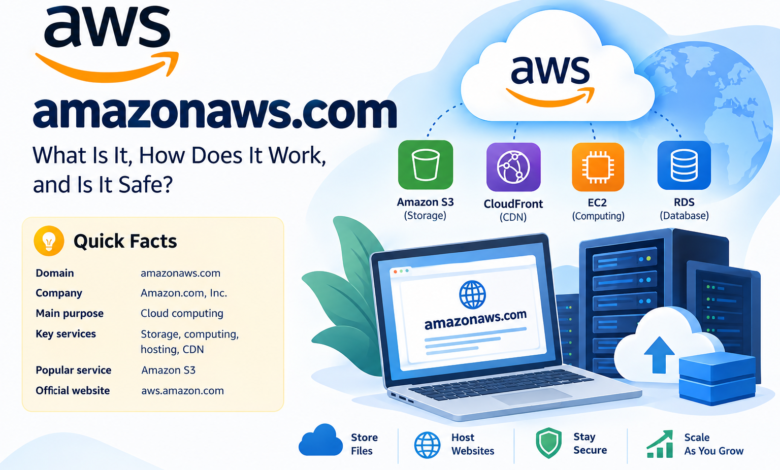
Quick Facts About amazonaws.com
| Detail | Information |
|---|---|
| Domain | amazonaws.com |
| Associated company | Amazon.com, Inc. |
| Technology platform | Amazon Web Services (AWS) |
| Main purpose | Cloud computing and online infrastructure |
| Domain type | Technology / Cloud Services |
| Main services | Storage, computing, hosting and content delivery |
| Popular AWS service | Amazon S3 |
| Content delivery service | Amazon CloudFront |
| Official website | aws.amazon.com |
| Primary audience | Businesses, developers and organizations |
Introduction
Have you ever opened a website and noticed a strange address ending in amazonaws.com? Maybe it appeared while loading an image, downloading a file or accessing an online service.
It can look confusing at first.
Actually, amazonaws.com is connected to Amazon Web Services, commonly known as AWS. It is a major part of Amazon’s cloud computing business. The domain supports different online resources, including files, website content and application services.
But what does it really do? Why do so many websites use it? And should visitors trust every link containing this domain?
Here is what you need to know.
What Is amazonaws.com?
amazonaws.com is a domain associated with Amazon Web Services. AWS provides cloud computing services that allow businesses and developers to store information, run applications and host online resources without maintaining all their own physical servers.
Think about a website with thousands of images. Those images need storage. They also need a reliable way to reach visitors when someone opens a page.
AWS offers services that can handle these tasks.
The domain itself is not a regular shopping website. It is mainly used for technical purposes and access to resources hosted through AWS.
For example, a website might store product photographs on Amazon S3 and deliver them through an AWS address. Visitors may see the amazonaws.com domain without knowing which company actually owns the website or file.
That is pretty common.
What Is Amazon Web Services?
Amazon Web Services is Amazon’s cloud computing platform. It provides technology services to individuals, developers, startups and large organizations.
AWS launched in 2006. Since then, its service range has grown considerably.
Businesses can rent computing resources instead of purchasing every server themselves. They can also pay for storage, databases and other online services according to their needs.
Here are some common reasons companies choose AWS:
- Hosting websites and applications.
- Storing documents and digital files.
- Running online business systems.
- Managing application databases.
- Delivering images and videos.
- Keeping backup copies of important information.
- Supporting software development projects.
Basically, AWS provides the infrastructure behind many online activities.
How Does amazonaws.com Work?
The basic idea is simple.
A business creates an AWS account and selects the services it needs. It can then upload files, configure storage and connect those resources to its website or application.
When someone requests a particular resource, the AWS service processes that request according to its settings and permissions.
For example:
- A website owner uploads images to Amazon S3.
- The files are stored in an AWS storage bucket.
- The website connects to the required file addresses.
- A visitor opens the website.
- The browser requests the image.
- AWS delivers the file if access is permitted.
The visitor sees the image. The technical work happens in the background.
This setup can support websites with different traffic levels and storage needs.
Main Services Connected to amazonaws.com
AWS has several services that support online businesses. Some are directly related to the domain’s common uses.
1. Amazon S3 – Online File Storage
Amazon Simple Storage Service, usually called Amazon S3, is a cloud storage service.
It allows customers to store objects such as photographs, videos, documents, backups and application files.
Website owners often use S3 for media storage. A business can upload thousands of product images without keeping every file on its own website server.
S3 also supports different access settings. Some files can be private, while others can be made available publicly.
That depends on the owner’s configuration.
2. Amazon CloudFront – Content Delivery
Amazon CloudFront is a content delivery network service.
It helps distribute website files, images, videos and other resources through a global network of edge locations.
Why does that matter?
Imagine a website hosted in one region. Someone visits it from another part of the world. Delivering every file from the original server may increase loading times.
CloudFront can keep cached copies of suitable content closer to visitors. This can reduce delays and improve content delivery.
CloudFront commonly uses addresses ending in cloudfront.net, although it can also work with custom domains.
3. Amazon EC2 – Virtual Servers
Amazon Elastic Compute Cloud, also known as EC2, provides virtual computing capacity.
Businesses can use EC2 instances to run websites, software, databases and other applications.
Instead of purchasing physical machines, customers can rent computing resources through AWS.
They can select instance types according to their workload and change their setup when their needs change.
It is especially useful for developers and companies that need control over their server environment.
4. AWS Database Services
Applications need somewhere to keep information.
AWS provides several database services for different technical requirements. These services can store customer records, application information, transactions and other business data.
The exact database depends on the application and its needs.
Developers can connect their software to these services through supported tools and interfaces.
Common amazonaws.com URL Examples
Visitors may encounter different address formats.
Here are some common examples:
| URL pattern | Typical purpose |
|---|---|
| s3.amazonaws.com | Amazon S3 access |
| bucket-name.s3.amazonaws.com | S3 bucket endpoint |
| bucket-name.s3.region.amazonaws.com | Regional S3 endpoint |
| s3-website-region.amazonaws.com | S3 static website endpoint |
| cloudfront.net | Content delivery |
These addresses are not interchangeable. Each format has its own purpose and configuration requirements.
For example, an S3 bucket may use an address similar to:
https://example-bucket.s3.us-west-2.amazonaws.com/image.jpg
The actual address depends on the bucket name, region and resource configuration.
A link may work for one visitor but fail for another because of permissions or availability settings.
Why Do Websites Use amazonaws.com?
Many website owners prefer cloud services because they can store and deliver online content without managing every part of the physical infrastructure.
There are several practical reasons.
Website Hosting
AWS supports website hosting through different services. Static website files can be stored in Amazon S3, while other services can handle application hosting.
Image Storage
Online shops often need many product images. AWS storage can keep these files separate from the main website.
File Downloads
Businesses can provide downloadable documents, software packages and other files through cloud storage.
Video and Media Delivery
Media companies can use AWS services to store and distribute digital content.
Application Support
Developers can run applications and connect them to databases, storage and computing resources.
Backup Storage
Companies can keep backup copies of important files and business information using AWS storage services.
Honestly, the main benefit is flexibility. Businesses can choose services based on their actual requirements.
Is amazonaws.com Safe and Legitimate?
Yes. amazonaws.com is a legitimate domain associated with Amazon Web Services.
But there is something visitors should understand.
A legitimate hosting platform does not mean every website or file hosted on it is safe.
AWS serves different customers. Each customer controls their own resources and content according to AWS policies and technical settings.
Unfortunately, attackers may misuse legitimate cloud infrastructure to host phishing pages, suspicious downloads or harmful content.
This means visitors should check the complete address before trusting a link.
Here are some basic precautions:
- Check the full URL before opening it.
- Avoid entering passwords on unfamiliar pages.
- Do not download unexpected attachments.
- Check the website owner’s identity.
- Avoid links received through suspicious messages.
- Keep your browser and security software updated.
A familiar domain ending is not enough to prove that a particular file is trustworthy.
Can amazonaws.com Be Used for Phishing?
Yes, AWS infrastructure can be misused by people who create phishing websites.
A phishing page may imitate a bank, shopping website or login portal. It may ask visitors to enter their passwords or payment information.
The fact that the page is hosted on AWS does not mean Amazon created or approved its content.
So, what should visitors do?
Check the actual website address. Look for spelling mistakes and unexpected subdomains. Never enter sensitive details just because a page looks professional.
If you find suspicious AWS-hosted content, AWS provides channels for reporting abuse.
Advantages of AWS Cloud Infrastructure
AWS offers several useful features for businesses.
Scalable resources: Companies can increase or reduce computing and storage resources according to demand.
Flexible pricing: Different AWS services have different pricing models, including usage-based charges.
File storage: Amazon S3 supports large amounts of digital content.
Global content delivery: CloudFront helps deliver cached content to visitors in different locations.
Business applications: AWS provides services for websites, software and online platforms.
Security controls: Customers can configure access permissions and other security features.
These features make AWS a common choice for organizations that need cloud infrastructure.
Disadvantages and Possible Concerns
AWS is useful, but it is not perfect for every business.
There are some limitations worth knowing.
Technical Knowledge
Some services require experience with server settings, permissions and cloud configurations.
Unexpected Costs
Charges can increase depending on storage, data transfers, requests and computing usage.
Permission Errors
Incorrect settings may expose files that should remain private.
Service Management
Businesses must monitor their cloud resources and manage their own configurations.
Security Responsibilities
AWS provides security features, but customers also need to protect their accounts, applications and stored information.
A poor configuration can create serious problems.
Who Uses Amazon Web Services?
AWS serves customers across many industries.
Some common examples include:
- E-commerce companies that store product images.
- Educational platforms that run online learning systems.
- Media companies that distribute digital content.
- Software developers who host applications.
- Businesses that manage customer databases.
- Organizations that need backup storage.
- Technology companies that run online services.
The exact AWS services vary from one organization to another.
A small website may only need cloud storage. A large business may run several services together.
Is amazonaws.com the Same as amazon.com?
No. These are two different domains with different purposes.
Amazon.com is Amazon’s main shopping website. Customers use it to search for products, place orders and manage purchases.
amazonaws.com is associated with Amazon Web Services and its cloud infrastructure.
The difference is easy to understand:
- amazon.com: Online shopping and consumer services.
- amazonaws.com: Cloud infrastructure and hosted resources.
Both are associated with Amazon, but they do different jobs.
Does amazonaws.com Offer Free Hosting?
The domain itself is not a free hosting service.
AWS offers different services and pricing plans. Some services may include free usage allowances under applicable AWS Free Tier offers, but eligibility, limits and terms can vary.
Users should check current pricing before starting a project.
A website with heavy traffic or large storage requirements may generate charges.
Reading the pricing details matters.
Final Thought
amazonaws.com is an important domain within the Amazon Web Services ecosystem. It supports online resources connected to cloud storage, computing and content delivery.
Many people encounter it without realizing what happens behind the scenes.
Now you know.
It is not a normal shopping website, nor does every address hosted through it belong to Amazon itself. Businesses and developers use AWS to store files, run applications and serve online content.
The main point is simple: amazonaws.com is a legitimate AWS-associated domain, but visitors should still check individual links before trusting them.
Frequently Asked Questions About amazonaws.com
1. What is amazonaws.com?
amazonaws.com is a domain associated with Amazon Web Services. It is used for cloud-hosted resources and technical services.
2. Who owns amazonaws.com?
The domain is associated with Amazon.com, Inc., the company behind Amazon Web Services.
3. Is amazonaws.com a legitimate website?
Yes, it is a legitimate Amazon-related infrastructure domain. However, individual files and websites hosted through AWS should be checked separately.
4. What is amazonaws.com used for?
It is associated with cloud storage, website resources, application files and other AWS services.
5. Is amazonaws.com safe to visit?
The domain is legitimate, but safety depends on the specific URL and content being accessed.
6. Can amazonaws.com host images?
Yes. Amazon S3 can store and deliver images, documents, videos and other files.
7. Does amazonaws.com provide cloud hosting?
It is associated with AWS, which provides cloud computing, storage and hosting services.
8. Why do websites use amazonaws.com links?
Websites may use AWS to store files, serve images, distribute downloads and support their applications.
9. Can hackers use amazonaws.com?
Yes. Malicious users may misuse AWS infrastructure to host phishing pages or suspicious files. This does not mean AWS itself is malicious.
10. What is the difference between amazonaws.com and cloudfront.net?
amazonaws.com is associated with several AWS services and endpoints. cloudfront.net is commonly used for Amazon CloudFront content delivery.
11. Is Amazon S3 the same as amazonaws.com?
No. Amazon S3 is a cloud storage service. amazonaws.com is a domain used for AWS-related endpoints, including S3 addresses.
12. Can I report suspicious content hosted on AWS?
Yes. AWS provides an abuse reporting process for suspicious activity and content hosted on its infrastructure.